 Lens
LensReal-Time Interview
Co-Pilot
Reason through hard problems in real-time. Designed to stay out of screen share capture. Lens doesn't store your screenshots or prompts.
Keyboard-first overlay
No screenshot storage
Works with Zoom, Teams, Meet
97,000+ users
Landing at FAANG
Trusted by 97,000+ developers landing offers at
Three Steps to Clarity
From problem to solution in seconds
Capture
Screenshot the problem or paste the question
Analyze
AI breaks it down instantly with your chosen template
Execute
Get the solution. Ship the code. Land the offer.
Built for Interview Performance
Every feature designed to help you think clearly under pressure
Screenshot → Instant Breakdown
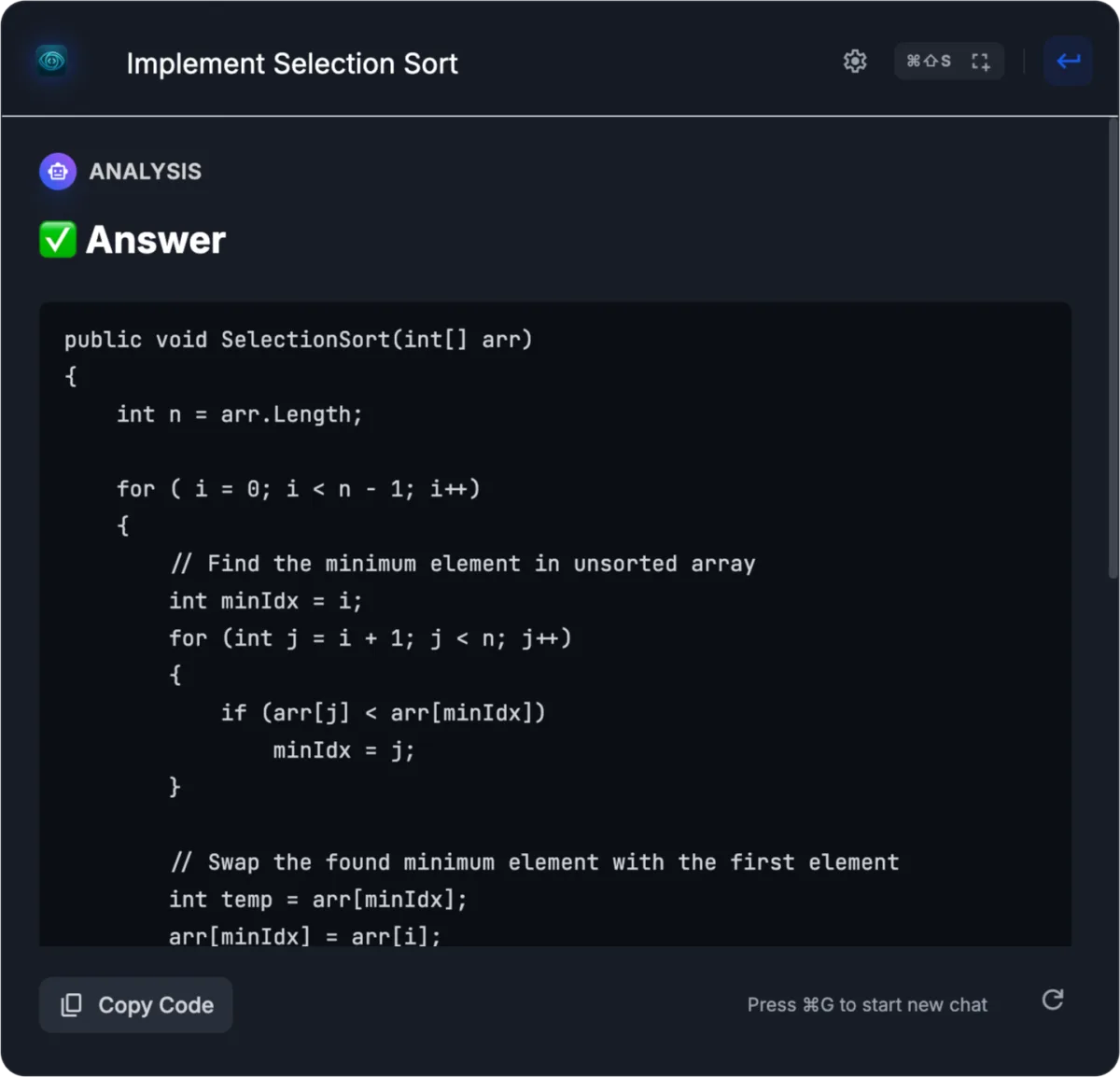
Paste a screenshot or type your question. Get instant analysis structured to match your chosen response template. Focus on thinking, not searching.
Works Everywhere
Works with any app you can see on your screen — Zoom, Teams, Meet, Discord, Slack
No Data Retention
Lens only analyzes what you select. No screenshots stored. No logs kept. Only usage counters saved.
Private Overlay
Lightweight and stays out of your way until you need it. You see it, they don't.
Undetectable by Proctoring Tools
Other tools get flagged. Lens stays invisible.
Lens — Undetected
Other Tools — Flagged
Ultra Mode — Zero Detection
Enable Ultra Mode to make mouse events pass straight through Lens. The browser never detects a focus change or cursor leave — Lens becomes genuinely invisible to proctoring software.
Templates Match Interview Moments
Different problems need different approaches. Switch instantly.
Explain Clearly
Get structured reasoning: problem breakdown, approach, and solution steps.
Debug Under Pressure
Screenshot the error. Get observation, root cause, and fix strategy.
Stuck? Get the Next Step
Direct answer only. No explanation. Maximum speed when seconds count.
System Design in 30s
Organize architecture thinking. Components, data flow, trade-offs.
Maximum Performance
Every detail optimized for speed and focus
Keyboard-First
Every action has a shortcut. Never touch your mouse.
Single Card UI
One expanding card. No tabs, no clutter.
Screen-Share Clean Mode
Auto-hides when screen sharing starts. Keeps your shared screen clean.
Screenshot Mode
Paste any problem. Get instant analysis.
Minimal Footprint
Lightweight overlay. Won't slow you down.
Ultra Mode
Mouse clicks pass straight through Lens to your browser. Zero detection — no focus loss, no cursor leave events, no trace.
Your Edge
The advantage that separates good from great.
Privacy & Transparency
Built for trust with clear practices
Security-First Downloads
HTTPS delivery with checksum verification available
Privacy-First Architecture
Lens doesn't store screenshots. No chat history retention.
Clean Uninstall
No background processes after uninstall
Clear Permissions
Requires Screen Recording permission (macOS) for screenshots
What Developers Say
Real stories from engineers who leveled up their interview game
Jason Chen
Senior Backend Engineer · Meta
"I used Lens while preparing for my Meta E5 interviews. The debugging template helped me slow down and think clearly instead of panicking. Ended up passing the loop. Honestly, it made prep way less chaotic."
Sarah Martinez
Software Engineer · Google
"I practiced with Lens for about two weeks before my Google onsite. The answer-only mode was useful when I got stuck and just needed to move forward. I passed and got the offer."
Alex Patel
Quant Engineer · Jane Street
"At places like Jane Street, explaining complexity and trade-offs matters a lot. Lens helped me practice that part instead of just coding. I passed my interviews and felt much more confident going in."
Michael Kim
Staff Engineer · Netflix
"I used Lens while preparing for my Netflix Staff level interviews. The structured approach helped me communicate design decisions clearly. I passed all rounds and got promoted."
Rachel Liu
Software Engineering Intern · Amazon
"I used Lens mainly to practice HackerRank-style questions with screenshots. It saved time and kept things focused. I passed my Amazon internship interviews and got the offer."
David Williams
Principal Engineer · Stripe
"At senior levels, interviews are less about syntax and more about clarity. Lens helped me practice explaining decisions cleanly. That prep paid off — I passed my Stripe interviews."
Simple, Transparent Pricing
From casual practice to active interviewing — choose your intensity.
Free plan
$0
Try it in 1–2 interviews
Limited daily analyses
Designed to stay out of screen share
Usage resets daily
Visible usage counter
Core answer templates
Screenshot input
Private overlay
Ultra Mode (zero detection)
Limited response depth
No system design mode
Pro Monthly plan
$25
/ month
Active interviewing month
300 analyses per month
Usage resets on billing date
Warnings shown before limits
Auto model selection based on complexity
Full templates (analysis, debug, answer-only)
System design questions
Screenshot + text input
Designed to stay out of screen share
Ultra Mode (zero detection)
No screenshot storage. No chat history retention. Only usage counters saved.
Pro Yearly plan
$199
/ year
Save $101 vs monthly
Always-on edge (unlimited feel)
Everything in Pro Monthly, plus:
Highest usage limits
No counters or warnings
Uninterrupted experience
Priority processing
Your Questions Answered
Get Your Edge
Download now. Dominate your next interview.
v1.0.10
✓ Designed to stay out of screen share ✓ Privacy-first ✓ No screenshot storage